
The Workforce Onboarding office is located in the Kolligian Library, Room 122G (First Floor: Workforce Onboarding). This office is located in the lobby area near the elevators.
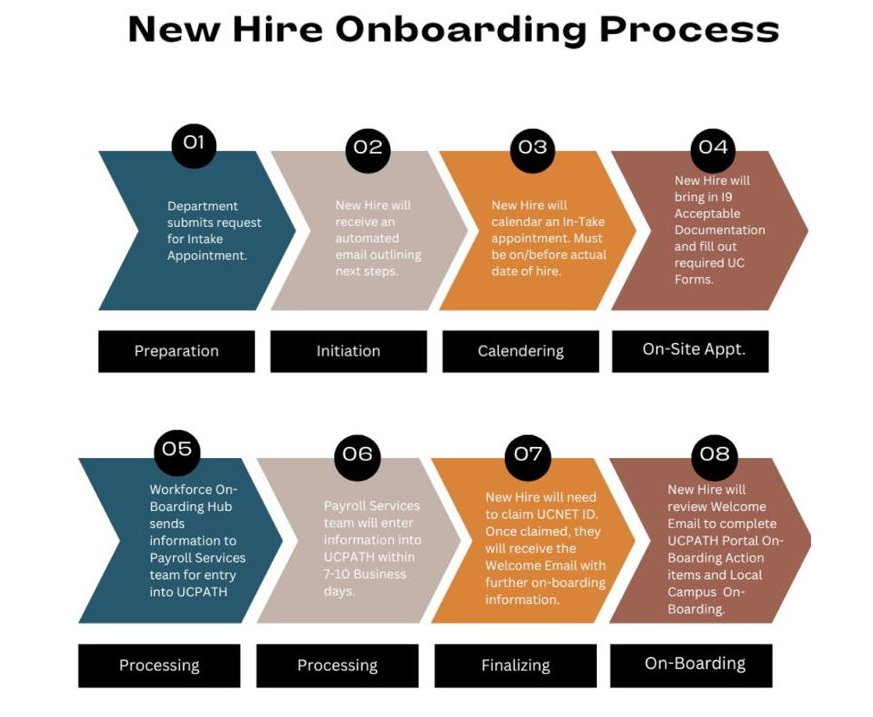
| What To Expect - New Hire Onboarding Process | |
|
1. Preparation |
Department submits request for the intake appointment. |
|
2. Initiation |
New hire will receive an automated email outlining the next steps. |
|
3. Calendering
|
New hire will schedule an In-Take appointment. Must be on/before actual date of hire. |
|
4. On-site Appointment
|
New hire will bring in I-9 acceptable documentation and fill out the required UC forms.
For Re-hires: Work Authorization Reverification Parking information (UCM Campus Parking Map):
|
|
5. Processing
|
The Workforce Onboarding Hub (WOH) sends information to Payroll Services team for entry into UCPath. |
| 6. Processing | The Payroll Services team will enter information into UCPath in 7-10 business days. |
|
7. Finalizing
|
New hire will need to claim your UCNET ID. Once claimed, new hire will receive a Welcome Email with further onboarding information. |
|
8. Onboarding
|
New hire will review the Welcome Email to complete Local Campus Onboarding action items & UCPath Portal Onboarding action items. |
Workforce Onboarding Team:
Meet the dedicated team behind all your Student Employment Services and Workforce Onboarding needs. The team serves as a core unit that manages Student Employment Services processes and Workforce Onboarding administration including work authorization and hire coordination such as I-9 and Verification/Authorization process in alignment with payroll policies, UC compliance and Department Of Homeland Security regulations.
 Workforce Onboarding & Student Employment Services |
|
Julie Morgan |
|
Miriam Centeno Christina Davis Sabrina Garibay
|
| Emily Bustos Executive Director Payroll Services, Workforce Administration, Student Employment, and Human Capital Management Systems ebustos@ucmerced.edu |
