
Time Reporting:
Timesheets are used to report leave usage or leave without pay. Hours worked are not reported. The system will prompt the user to indicate if there are any type of leave hours to report when the timesheet is generated.
A monthly timesheet submission is required even if no leave hours are being reported for compliance purposes. See Job Aid TRS Timesheet - Monthly Timesheet Submission for step by step navigational instructions.
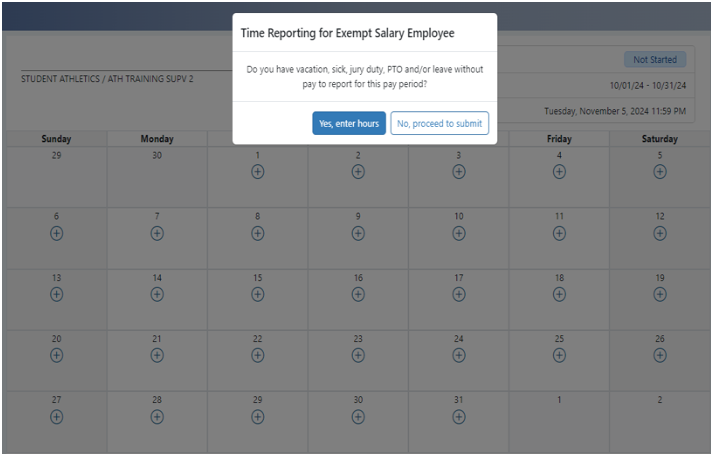
Instructions for navigating the system and how an employee reports time, are available on the UC Learning Center/LMS. Search for "TRS" to show both employee and supervisor overview courses.
Note: Leave reflected over an available balance will result in the return of a timesheet for correction.
Supervisors can create timesheets on behalf of employees:
- Go to Manage My Staff tab
- Click Create Timesheet
- Enter in the employee information and any date within the desired pay period
- Click the Create Timesheet button
Supervisors can also edit and submit the employees' timesheets that are in a Saved, Recalled By Employee, or Returned By Supervisor, status. Follow the same process as creating a new employee timesheet. However, it seems as if the Supervisor will "create over" the employee’s existing timesheet in TRS, the Supervisor is only prompting the system to override the employee’s timesheet status. Timesheet status will be Submitted to Supervisor.
GSR PTO
GSRs are to report their Paid Time Off (PTO) day(s) as hours they were scheduled to work on any given day, regardless of FTE as one day of use for each day reported.
Example:
A 50% GSR who has a 20-hour work week, may have the following schedule:
| Monday | Tuesday | Wednesday | Thursday | Friday | |
| Hours of Work Scheduled | 2 hrs. | 3 hrs. | 5 hrs | 5hrs | 5hrs |
If the GSR takes Monday through Wednesday as PTO, they will report the following PTO hours:
| Monday | Tuesday | Wednesday | Thursday | Friday | |
| Hours of Work Scheduled | PTO 2 hrs. | PTO 3 hrs. | PTO 5 hrs |
The time will be recorded
Continuing the example from above:
| Monday | Tuesday | Wednesday | Thursday | Friday | |
| PTO Days Taken | 1 day | 1 day | 1 day |
The GSR should NOT report any PTO hours for the day if:
-
They worked a partial scheduled day.
-
They were not normally scheduled to work on that day.
Attention: Per section C of Article 23 - CAMPUS CLOSURE:
1. During a campus closure that results in a closure of an individual lab/unit, GSRs in that lab/unit shall have the option to use personal time off in order to be paid for the closure days.
2. If GSRs are required to work during a closure, they shall be paid for each day worked and not be required to use personal time off (PTO).
TGSR falling under the Fellowship, Paid Direct or Trainee titles below will not be required to complete timesheets in TRS:
003142 GSR-FELLOW-PAID DIR-NO REM
003143 GSR-FELLOW-PAID DIR-TUIT REM
003152 GSR-TRAINEE-PAID DIR-NO REM
003153 GSR-TRAINEE-PAID DIR-TUIT REM
003144 GSR-FELLOW-NO REM
003145 GSR-FELLOW-TUIT REM*
003154 GSR-TRAINEE-NO REM
003155 GSR-TRAINEE-TUIT REM
3160 - GSR supplemental appointment.
* Also: 3151 (paid direct) title was sunset 6/30/24 and was replaced by 3145 (paid from UC Path)
